免责声明
文章中涉及的内容可能带有攻击性,仅供安全研究与教学之用,读者将其信息做其他用途,由用户承担全部法律及连带责任,文章作者不承担任何法律及连带责任。
一、前言
事情起因是看的一篇微信公众号,教你如何将吉利银河汽车接入HomeAssistant 看了后觉得我也可以试试,我的车是吉利的一个子品牌应该也可以,就开始了本次抓包,中间踩了很多坑,也在网上找到了很多教程,用到了很多工具,感谢这些大佬,特别是gemini,赠送的100w token几天用了接近80w,目前已经完成appkey、appsecret抓取,签名模拟,登录模拟,refresh token,部分车控,其他的过段时间再来。

二、第一天
(一)第一次抓包
要抓取接口,第一反应是抓包,使用了reqable (小黄鸟作者重写的工具,代理调试 + 请求测试一站式解决方案,可以手机抓包连接到电脑),Android 7+,需要安装系统证书才能解密ssl,所以需要root权限,所以准备在模拟器里面抓包,然后就遇到了第一个问题,这个app疑似有虚拟机检测,更换多个虚拟机均闪退,就选择找出了老手机,一台魅族17Pro,之前已经解过BL,安装面具,修补并刷入boot.img获取了root权限,安装了证书模块,重新安装app,打开又闪退,多次测试后发现有还有root检验,隐藏root后可以正常启动,又遇到新的问题,隐藏root,模块没有对app生效,抓出来还是无法解密,网上找教程,在Funsiooo 的帖子 Android APP 绕过安全检测机制 了解到可以通过Frida + Objection绕过SSL Pinning抓取,便开始使用Frida。
(二)尝试Frida
下载adb工具 适用于Windows的 SDK Platform-Tools ,下载Frida-server ,使用adb push推送到手机/data/local/tmp,在电脑上通过adb shell 连接手机,使用su命令获取root权限(在手机上root管理工具里面同意shell获取root权限)。
adb push frida-server-版本号-android-arm64 /data/local/tmp/frida-server  #推送到/data/local/tmp/frida-serveradb shell
su
cd /data/local/tmp/
chmod 755 frida-server #赋予运行权限
./frida-server &
电脑上创建一个新的python环境,安装Frida和Objection
pip install frida
pip install frida-tools
pip install objection
objection -g 包名 explore
如果正常运行,手机会自动打开那个包名的应用,并且开始hook,就可以使用android root disable
android sslpinning disable,但是我运行的时候,自动打开应用马上闪退,搜索了半天,判断可能app有Frida检测。
(三)转变思路,开始逆向
Frida这条路走不通,就换一个思路,能不能通过逆向源代,修改绕过,既然可能有root检测,虚拟机检测,Frida检测,肯定是用了加固软件的,准备查壳,通过这篇文章 Android逆向笔记之APK查壳工具PKID尝试用PKID,但是识别不出,换了apkmsg也是识别不出。
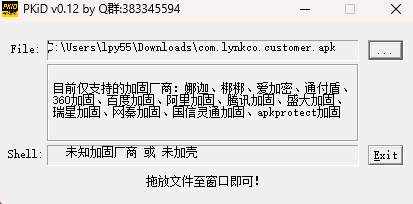
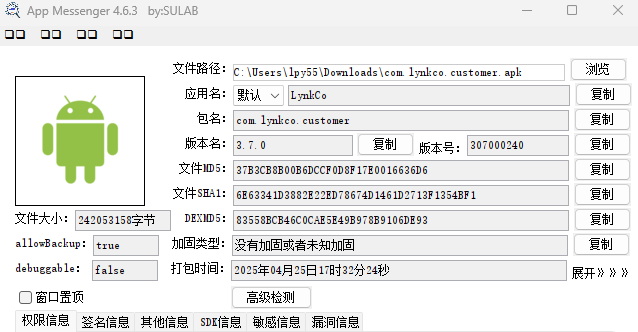
尝试用APKToolGUI解包,用jadx反编译,发现有一个com.kiwivm.security,网上一搜发现是几维安全的加固,后面用MT文件管理器也识别出几维安全,网上搜几维安全脱壳,找到了两篇文章【逆向教程】几维安全之脱壳修复回填教程 和 【脱壳修复】几维安全修复 ,按照教程,修改AndroidManifest.xml,把KWS_MAIN_APP修改为com.lynkco.customer,删掉最后的这些代码。
        <meta-data
            android:name="KWS_MAIN_APP"
android:value="com.storm.smart.StormApplication" />重新打包签名,期间遇到了很多问题,最开始没有修改绕过,直接解包打包,程序闪退,发现可能是有签名验证,后面又像文章里,删除lib/arm64-v8a/libKwProtectSDK.so,
lib/arm64-v8a/libkwsdataenc.so也会无限闪退,不删除又可以运行,但是尝试登录闪退,后面逆向发现是阿里云网关的appscert计算是写在libKwProtectSDK.so文件里面,没有这个文件会闪退,现在又陷入僵局。
二、第二天
(一)尝试隐藏root的同时让面具生效
安装了很多个信任证书的模块和reqable,这时突然发现能解密ssl了(以为是哪个模块生效了,后来才发现是reqable 电脑版第一次点击证书,安卓设备的时候,如果设备root了会自动尝试使用adb将证书移动到系统分区),那就直接开始抓包。
首先是获取车辆信息的包。
GET /remote-control/vehicle/status/车辆的vin?userId=用户id&latest=false&target=more%2Cbasic HTTP/2  #车辆vin和用户id都是固定的
host: device-api.xchanger.cn
x-app-id: lynkco
accept: application/json;responseformat=3
x-agent-type: android
x-device-type: mobile
x-operator-code: LYNKCO
x-device-identifier: #固定的
x-env-type: production
accept-encoding: identity
x-version: lidNew
x-timezone: Asia/Shanghai
accept-language: zh_CN
content-type: application/json; charset=utf-8
x-api-signature-version: 1.0
x-api-signature-nonce: 7d5-2cb06b223b3dIJQ1WQP1746770935970 #签名的nonce
authorization: #JWT令牌
platform: CMA
x-client-id: #固定的
x-vehicle-series: GS4-21
x-vehicle-model: GS4-21
x-vehicle-identifier: #车辆的vin
user-agent: okhttp/3.12.6
x-signature: hhovI1Rs8wjjltcjxc+p/LQkfz0=
x-timestamp: 1746770936218
这里面大部分信息都能直接搞定,就x-api-signature-nonce和x-signature不知道是怎么生成的,就要开始逆向了。
(二)通过反编译源代码,查找签名密钥
搜了下找到了这篇帖子问问各位大佬一个技术问题。。 但是也只说了hook,不会呀,最后选择还是逆向反编译源代码,静态分析,把apk上传到 https://56.al/脱壳后,将脱出来的24个dex文件用jadx打开,开始搜索x-signature,因为不太熟悉jadx-gui,选择导出代码用vscode打开搜索到了4个文件,17个结果。
17 个结果 - 4 文件

sources\com\base\bluetooth\dk\http\interceptor\SignInterceptor.java:
   96                          GeLog.i("SignInterceptor", e.getMessage());
   97:                         return chain.proceed(newBuilder.addHeader("X-Access-Key", str2).addHeader("X-Signature", str5.trim()).addHeader("X-Timestamp", str3).build());
   98                      } catch (NoSuchAlgorithmException e3) {

  102                          GeLog.i("SignInterceptor", e.getMessage());
  103:                         return chain.proceed(newBuilder.addHeader("X-Access-Key", str2).addHeader("X-Signature", str5.trim()).addHeader("X-Timestamp", str3).build());
  104                      } catch (Exception e4) {

  107                          GeLog.i("SignInterceptor", e.getMessage());
  108:                         return chain.proceed(newBuilder.addHeader("X-Access-Key", str2).addHeader("X-Signature", str5.trim()).addHeader("X-Timestamp", str3).build());
  109                      }

  139          }
  140:         return chain.proceed(newBuilder.addHeader("X-Access-Key", str2).addHeader("X-Signature", str5.trim()).addHeader("X-Timestamp", str3).build());
  141      }

sources\com\baselinelibrary\sign\SignInterceptor.java:
  155                          str6 = str10;
  156:                         return chain.proceed(newBuilder.addHeader("X-SIGNATURE", str6.trim()).addHeader("X-TIMESTAMP", str3).build());
  157                      } catch (NoSuchAlgorithmException e8) {

  165                          str6 = str10;
  166:                         return chain.proceed(newBuilder.addHeader("X-SIGNATURE", str6.trim()).addHeader("X-TIMESTAMP", str3).build());
  167                      } catch (Exception e9) {

  173                          str6 = str10;
  174:                         return chain.proceed(newBuilder.addHeader("X-SIGNATURE", str6.trim()).addHeader("X-TIMESTAMP", str3).build());
  175                      }

  184                      str6 = str10;
  185:                     return chain.proceed(newBuilder.addHeader("X-SIGNATURE", str6.trim()).addHeader("X-TIMESTAMP", str3).build());
  186                  } catch (NoSuchAlgorithmException e11) {

  194                      str6 = str10;
  195:                     return chain.proceed(newBuilder.addHeader("X-SIGNATURE", str6.trim()).addHeader("X-TIMESTAMP", str3).build());
  196                  } catch (Exception e12) {

  219          }
  220:         return chain.proceed(newBuilder.addHeader("X-SIGNATURE", str6.trim()).addHeader("X-TIMESTAMP", str3).build());
  221      }

sources\com\geely\eventreportlib\sign\SignInterceptor.java:
  113                          str3 = str6;
  114:                         return chain.proceed(newBuilder.addHeader("X-SIGNATURE", str3.trim()).addHeader("X-TIMESTAMP", str2).build());
  115                      } catch (NoSuchAlgorithmException e3) {

  120                          str3 = str6;
  121:                         return chain.proceed(newBuilder.addHeader("X-SIGNATURE", str3.trim()).addHeader("X-TIMESTAMP", str2).build());
  122                      } catch (Exception e4) {

  126                          str3 = str6;
  127:                         return chain.proceed(newBuilder.addHeader("X-SIGNATURE", str3.trim()).addHeader("X-TIMESTAMP", str2).build());
  128                      }

  158          }
  159:         return chain.proceed(newBuilder.addHeader("X-SIGNATURE", str3.trim()).addHeader("X-TIMESTAMP", str2).build());
  160      }

sources\l\f\a\c\b.java:
  53              str = "";
  54:             return chain.proceed(newBuilder.addHeader("X-SIGNATURE", str.trim()).addHeader("Date", a2).build());
  55          } catch (NoSuchAlgorithmException e3) {

  57              str = "";
  58:             return chain.proceed(newBuilder.addHeader("X-SIGNATURE", str.trim()).addHeader("Date", a2).build());
  59          }
  60:         return chain.proceed(newBuilder.addHeader("X-SIGNATURE", str.trim()).addHeader("Date", a2).build());
  61      }
反正就挨个分析,最后发现是第四个,也就是在sources\l\f\a\c\b.java里面。
newBuilder.addHeader("X-SIGNATURE", str.trim()).addHeader("Date", a2).build())
str = f.b().f(TextUtils.isEmpty(l.f.a.a.f66570e) ? JNIUtils.a().getAppSecret(l.f.a.b.f66576d[l.f.a.b.f66577e]) : l.f.a.a.f66570e, headers, treeMap, buffer.readUtf8(), a2, method, httpUrl)
表示”X-SIGNATURE”就是str去掉头尾的空白字符,str就是通过这个加密算法进行计算,然后我们跳转到getAppSecret()方法,发现是通过JNI函数调用libSecret.so里getAppSecret方法。
    static {
        System.loadLibrary("Secret");
        f21526a = null;
    }
    public native String getAppSecret(String str);
通过ghidra进行反编译,打开搜索getAppSecret,找到了伪代码(其实通过Frida hook更简单,就是这个时候我还认为app有Frida检验)
void Java_com_ecarx_lyoauth_utils_JNIUtils_getAppSecret
               (undefined8 param_1,undefined8 param_2,undefined8 param_3)

{
  long lVar1;
  undefined8 uVar2;
  undefined1 auStack_a8 [128];
  long local_28;

  lVar1 = tpidr_el0;
  local_28 = *(long *)(lVar1 + 0x28);
  uVar2 = Jstring2CStr(param_1,param_3);
  get_from_so(uVar2,auStack_a8,10);
  CStr2Jstring(param_1,auStack_a8);
  if (*(long *)(lVar1 + 0x28) == local_28) {
    return;
  }
                    /* WARNING: Subroutine does not return */
  __stack_chk_fail();
}
然后我们继续分析,发现编码在get_from_so()里面,跳转过去
undefined8 get_from_so(char *param_1,char *param_2)

{
  int iVar1;
  char *__src;

  param_2[0] = '\0';
  param_2[1] = '\0';
  param_2[2] = '\0';
  param_2[3] = '\0';
  param_2[4] = '\0';
  param_2[5] = '\0';
  param_2[6] = '\0';
  param_2[7] = '\0';
  iVar1 = strcmp(param_1,"produce");
  if (iVar1 == 0) {
    __src = s_lynkcNETS_00103080;
    goto LAB_00100d5c;
  }
  iVar1 = strcmp(param_1,"test");
  if (iVar1 != 0) {
    iVar1 = strcmp(param_1,"dev");
    if (iVar1 == 0) {
      __src = s_lynkcNETS_00103100;
      goto LAB_00100d5c;
    }
    iVar1 = strcmp(param_1,"stage");
    if (iVar1 == 0) {
      __src = s_lynkcMY49_00103180;
      goto LAB_00100d5c;
    }
  }
  __src = s_lynkcNETS_00103000;
LAB_00100d5c:
  strcpy(param_2,__src);
  return 0;
}
这就出来了,先识别环境,如果是produce和dev就是lynkcNETS,如果是stage就是lynkcMY49。
(三)寻找签名算法
接下来我们要回去sources\l\f\a\c\b.java寻找加密算法,还是根据
str = f.b().f(TextUtils.isEmpty(l.f.a.a.f66570e) ? JNIUtils.a().getAppSecret(l.f.a.b.f66576d[l.f.a.b.f66577e]) : l.f.a.a.f66570e, headers, treeMap, buffer.readUtf8(), a2, method, httpUrl);
我们先去sources\com\ecarx\lyoauth\utils\f.java看看签名算法。
    public String f(String str, Headers headers, TreeMap<String, String> treeMap, String str2, String str3, String str4, String str5) throws NoSuchAlgorithmException, InvalidKeyException {
        String e2 = e(str5);
        String c2 = c(str2);
        String str6 = "application/json;responseformat=3\n" + a(headers) + "\n" + d(treeMap) + "\n" + c2 + str3 + "\n" + str4 + "\n" + e2;
        Mac mac = Mac.getInstance("HMACSHA1");
        mac.init(new SecretKeySpec(str.getBytes(Charset.forName("utf-8")), "HMACSHA1"));
        return Base64.encodeToString(mac.doFinal(str6.getBytes(Charset.forName("utf-8"))), 0);
    }
}
通过拼接一个字符串,然后使用 HMAC-SHA1进行加密,反正我是扔给gemini生成,但是生成的程序拼接的字符串中,有两个请求头,x-api-signature-nonce和x-api-signature-version只拼接了值,没有拼接名字,导致一直不对,最后是通过Frida抓包对比才发现的
(四)寻找x-api-signature-nonce算法
在代码中搜索x-api-signature-nonce,有8个结果,依次分析,有两种算法一种就直接是UUID,另一种是用UUID+7个随机大写字母+13位时间戳,取后36位,最开始我是扔gemini判断,结果他出错了判断都不是,困扰了很久,再重新读代码,发现gemini错了,他把36分解成13位时间戳,7个字符和16位UUID,但是没有吧UUID中的-算作一个字符,这样下来就是成了XXXX-XXX…而不是抓包出来的XXX-XXX…。
    public static synchronized String getNonce(String str) {
        String str2;
        synchronized (ComUtils.class) {
            nonceIndex++;
            str2 = UUID.randomUUID().toString() + getRandomNum(7) + System.currentTimeMillis();
            if (checkString(str2) && str2.length() > 36) {
                str2 = str2.substring(str2.length() - 36);
            }
            if (checkString(str) && str2.equals(BaseConfig.nonceMap.get(str)) && nonceIndex < 4) {
                CommonLogUtils.e("验签随机数已重复,重新获取,index=" + nonceIndex);
                getNonce(str);
            }
            BaseConfig.nonceMap.put(str, str2);
            nonceIndex = 0;
        }
        return str2;
    }
7位随机字符串的函数getRandomNum(num)
    public static String getRandomNum(int i2) {
        char[] cArr = {'A', 'B', 'C', 'D', 'E', 'F', 'G', 'H', 'I', 'J', 'K', 'L', 'M', 'N', 'O', 'P', 'Q', 'R', 'S', 'T', 'U', 'V', 'W', 'X', 'Y', 'Z', '0', '1', '2', '3', '4', '5', '6', '7', '8', '9'};
        StringBuffer stringBuffer = new StringBuffer("");
        Random random = new Random();
        int i3 = 0;
        while (i3 < i2) {
            int abs = Math.abs(random.nextInt(36));
            if (abs >= 0 && abs < 36) {
                stringBuffer.append(cArr[abs]);
                i3++;
            }
        }
        return stringBuffer.toString();
    }
测试了一下对了,现在已经可以模拟请求头获取数据了,这是一个python的模拟程序,供参考。
import hashlib
import base64
import hmac
import time
import random
import uuid
# AppSecret用于X-SIGNATURE
APP_SECRET_XSIGN = "lynkcNETS"
current_timestamp_ms_str = str(int(time.time() * 1000))
def get_random_num(num):
    """
    生成指定长度的随机字符串,包含大写字母和数字
    """
    if num <= 0:
        raise ValueError("num 参数必须大于 0")
    chars = "ABCDEFGHIJKLMNOPQRSTUVWXYZ0123456789"
    return "".join(random.choices(chars, k=num))

def build_x_signature_string_to_sign(
    http_method,
    path,
    query_params_dict, # 键: 值(值应与最终URL查询中的值一致,例如 "more%2Cbasic")
    headers_dict_lc, # 所有头信息,键名小写
    body_str # 对于GET请求,此值为空字符串
):

    accept = headers_dict_lc.get("accept", "")
    accept_val = headers_dict_lc.get("accept", "")
    x_api_nonce_val = headers_dict_lc.get("x-api-signature-nonce", "")
    x_api_version_val = headers_dict_lc.get("x-api-signature-version", "")
    query_string_parts = []
    if query_params_dict:
        for key in sorted(query_params_dict.keys()):
            query_string_parts.append(f"{key}={query_params_dict[key]}")
    canonical_query_params = "&".join(query_string_parts)
    content_md5_b64 = headers_dict_lc.get("content-md5")
    if not content_md5_b64:
        md5_digest = hashlib.md5(body_str.encode('utf-8')).digest()
        content_md5_b64 = base64.b64encode(md5_digest).decode('utf-8')
    x_timestamp_val = headers_dict_lc.get("x-timestamp", "")
    string_to_sign = (
        f"{accept_val}\n"
        f"x-api-signature-nonce:{x_api_nonce_val}\n" # 直接使用x-api-signature-nonce的值
        f"x-api-signature-version:{x_api_version_val}\n" # 直接使用x-api-signature-version的值
        "\n"  # 空行
        f"{canonical_query_params}\n"
        f"{content_md5_b64}\n"
        f"{x_timestamp_val}\n"
        f"{http_method}\n"
        f"{path}"
    )
    return string_to_sign

def calculate_x_signature(
    app_secret, http_method, path, query_params_dict, headers_dict_lc, body_str
):
    string_to_sign = build_x_signature_string_to_sign( # 调用新的构建器
        http_method, path, query_params_dict, headers_dict_lc, body_str
    )
    hmac_obj = hmac.new(app_secret.encode('utf-8'), string_to_sign.encode('utf-8'), hashlib.sha1)
    signature_bytes = hmac_obj.digest()
    return base64.b64encode(signature_bytes).decode('utf-8').strip() # 应用strip以匹配潜在的Java trim

timestamp_ms = int(time.time() * 1000)
api_nonce = f"{uuid.uuid4()}{get_random_num(7)}{timestamp_ms}"
if api_nonce and len(api_nonce) >36:
    api_nonce = api_nonce[-36:]

FRIDA_XSIGN_HTTP_METHOD = "GET"
FRIDA_XSIGN_PATH = ""#自行替换
FRIDA_XSIGN_QUERY_PARAMS = { # 值应与StringToSign中出现的值一致(如果来自URL,则已URL编码)
    "latest": "false",
    "target": "more%2Cbasic",
    "userId": ""#自行替换
}
FRIDA_XSIGN_BODY = ""

# 提供StringToSign组件的头信息,由Frida捕获
FRIDA_XSIGN_HEADERS_LC = {
    "accept": "application/json;responseformat=3",
    "x-api-signature-nonce": api_nonce, # 来自S_Frida
    "x-api-signature-version": "1.0",           # 来自S_Frida
    "content-md5": "",#当为get的时候,md5值为空字符串进行md5计算,再进行base64编码
    "x-timestamp": current_timestamp_ms_str                                  # 来自S_Frida
}

python_calculated_sts_xsign = build_x_signature_string_to_sign(
    FRIDA_XSIGN_HTTP_METHOD,
    FRIDA_XSIGN_PATH,
    FRIDA_XSIGN_QUERY_PARAMS,
    FRIDA_XSIGN_HEADERS_LC, # 传递准备好的头信息
    FRIDA_XSIGN_BODY
)

python_calculated_x_signature_d66 = calculate_x_signature(
        APP_SECRET_XSIGN,
        FRIDA_XSIGN_HTTP_METHOD,
        FRIDA_XSIGN_PATH,
        FRIDA_XSIGN_QUERY_PARAMS,
        FRIDA_XSIGN_HEADERS_LC, # Use the same headers
        FRIDA_XSIGN_BODY
    )
print(f"Python 计算的 x-api-signature-nonce: {api_nonce}")
print(f"Python 计算的 StringToSign: {python_calculated_sts_xsign}")
print(f"Python 计算的 X-SIGNATURE: {python_calculated_x_signature_d66}")
三、第三天
(一)抓取登录密钥
本来已经结束了,但是想了下如果JWT令牌过期了,还需要重新抓起,反正都干了不如一步到位,把JWT的获取也抓出来。变继续分析,开始抓包。
POST /auth/login/mobileCodeLogin?deviceType=ANDROID&appVersion=3.6.9&hardwareDeviceId=hardwareDeviceId&mobile=181XXXXXXXX&deviceModel=meizu+17+Pro&deviceId=deviceId&verificationCode=123456 HTTP/2
host: app-services.lynkco.com.cn
date: Sun, 11 May 2025 06:15:06 GMT
x-ca-signature: 7Lbp0dW+vHN4oHqhseD0daR7uJjx0YZ4hAeYlnYvoXM=
x-ca-nonce: e7d4d43e-cc8c-4af3-8ec5-ba114b2a9cef
x-ca-key: x-ca-key
certifyid:
ca_version: 1
accept: application/json; charset=utf-8
content-md5: content-md5
x-ca-timestamp: 1746944106990
x-ca-signature-headers: x-ca-nonce,x-ca-timestamp,x-ca-key
user-agent: ALIYUN-ANDROID-UA
appversioncode: 3.6.9
appversionname: 306090230
publicplatform: android
gl_dev_id: gl_dev_id
gl_dev_name: meizu_17Pro_N_CN
gl_dev_model: meizu17Pro
gl_dev_brand: meizu
gl_dev_platform: android
gl_os_version: 30
gl_app_version: 3.6.9
gl_app_build: gl_app_build
gl_user_id:
imei: imei
os: 11
sweet_security_info: {sweet_security_info}
content-type: application/json; charset=utf-8
content-length: 2
accept-encoding: gzip

{}大部分都是固定不变的,就x-ca-signature不知道是怎么签名的,其他一眼就能看出怎么生成,最开始还是想通过代码找到硬编码的文件,也是一层一层往上找,最后发现是在libKwProtectSDK.so里面一个函数,看起来有点像虚拟机,传入了很多参数,水平不够只有放弃,但是还是获得了一些信息,AppKey: 从抓包 x-ca-key,签名逻辑: 基于com.alibaba.cloudapi.sdk.util.ApiRequestMaker.make(…),签名算法: HMAC-SHA256 。
(二)重新Frida HooK
在Github中搜索,找到了一个Florida 是带基础反检测的 frida-server ,然后还是闪退,尝试修改frida-server 为fr并把端口修改为12345,终于没有闪退了,注意这个时候要使用将手机的12345端口转发到本机
adb forward tcp:12345 tcp:12345
adb shell
su
cd /data/local/tmp
./ -l 0.0.0.0:12345 &
然后通过Gemini生成了Hook ApiRequestMaker.make(…) 的方法。
Java.perform(function () {
    console.log("[*] Frida 组合签名捕获脚本已加载");

    // ========== 配置部分 ==========
    var CONFIG = {
        // 目标应用包名
        targetPackage: "com.lynkco.customer",

        // 阿里云相关配置
        aliyun: {
            enabled: true,
            targetClasses: {
                apiRequestMaker: "com.alibaba.cloudapi.sdk.util.ApiRequestMaker",
                apiRequestModel: "com.alibaba.cloudapi.sdk.model.ApiRequest",
                httpApiClient: "com.alibaba.cloudapi.sdk.client.HttpApiClient",
                httpClientBuilderParams: "com.alibaba.cloudapi.sdk.model.HttpClientBuilderParams",
                safeConsB: "com.safe.cons.b"
            }
        },

        // X-SIGNATURE相关配置
        xsignature: {
            enabled: true,
            targetHost: "device-api.xchanger.cn",
            targetClasses: {
                lyOAuthSigner: "com.ecarx.lyoauth.utils.f",
                okHttpBuilder: "okhttp3.Request$Builder"
            },
            algorithm: "HMACSHA1"
        },

        // Nonce相关配置
        nonce: {
            enabled: true,
            headerName: "x-api-signature-nonce",
            pattern: /^[^-]+-.+$/ // 匹配nonce格式的正则
        }
    };

    // ========== 辅助函数 ==========
    function reprStringToSign(str) {
        if (typeof str === 'string') {
            return str.replace(/\n/g, '\\n\n');
        }
        return str;
    }

    function byteArrayToHexString(byteArray) {
        if (!byteArray) return "null";
        var hexString = "";
        for (var i = 0; i < byteArray.length; i++) {
            var hex = (byteArray[i] & 0xFF).toString(16);
            if (hex.length === 1) hex = '0' + hex;
            hexString += hex;
        }
        return hexString;
    }

    // ========== ClassLoader处理 ==========
    if (CONFIG.aliyun.enabled || CONFIG.xsignature.enabled) {
        console.log("[*] 设置 ClassLoader 钩子");

        var foundClassLoader = null;
        Java.enumerateClassLoaders({
            onMatch: function(loader) {
                try {
                    if (loader.findClass("com.safe.cons.b")) {
                        console.log("[+] 找到目标 ClassLoader: " + loader);
                        foundClassLoader = loader;
                        return 'stop';
                    }
                } catch (e) {}
            },
            onComplete: function() {
                console.log("[*] ClassLoader 枚举完成");
            }
        });

        if (foundClassLoader) {
            Java.ClassFactory.loader = foundClassLoader;
            console.log("[+] Frida 的 Java.ClassFactory.loader 已设置");
        } else {
            console.warn("[-] 未找到目标 ClassLoader,继续使用默认加载器");
        }
    }

    // ========== 阿里云AK/SK捕获 ==========
    if (CONFIG.aliyun.enabled) {
        console.log("[*] 设置阿里云 API 网关钩子");

        try {
            // Hook ApiRequestMaker.make
            const ApiRequestMakerClass = Java.use(CONFIG.aliyun.targetClasses.apiRequestMaker);
            ApiRequestMakerClass.make.overload(
                CONFIG.aliyun.targetClasses.apiRequestModel,
                'java.lang.String',
                'java.lang.String',
                '[Ljava.lang.String;'
            ).implementation = function (request, appKey, appSecret, extraHeaderToSign) {
                console.log("\n[*] 钩子 ApiRequestMaker.make()");
                console.log("  [阿里云] AppKey: " + appKey);
                console.log("  [阿里云] AppSecret: " + appSecret);

                send({
                    type: "aliyun_secrets",
                    source: "ApiRequestMaker.make",
                    app_key: appKey,
                    app_secret: appSecret
                });

                return this.make(request, appKey, appSecret, extraHeaderToSign);
            };
            console.log("[+] 钩子 ApiRequestMaker.make");

            // Hook HttpApiClient.init
            const HttpApiClientClass = Java.use(CONFIG.aliyun.targetClasses.httpApiClient);
            HttpApiClientClass.init.overload(
                CONFIG.aliyun.targetClasses.httpClientBuilderParams
            ).implementation = function (buildParam) {
                console.log("\n[*] 钩子 HttpApiClient.init()");
                if (buildParam) {
                    var appKey = buildParam.getAppKey();
                    var appSecret = buildParam.getAppSecret();
                    console.log("  [阿里云] HttpClientBuilderParams 中的 AppKey: " + appKey);
                    console.log("  [阿里云] HttpClientBuilderParams 中的 AppSecret: " + appSecret);

                    send({
                        type: "aliyun_secrets",
                        source: "HttpApiClient.init",
                        app_key: appKey,
                        app_secret: appSecret
                    });
                }
                return this.init(buildParam);
            };
            console.log("[+] 钩子 HttpApiClient.init");

            // Hook com.safe.cons.b 方法
            try {
                const SafeConsBClass = Java.use(CONFIG.aliyun.targetClasses.safeConsB);

                // Hook w() 单例获取方法
                if (SafeConsBClass.w) {
                    SafeConsBClass.w.implementation = function() {
                        console.log("\n[*] 钩子 com.safe.cons.b.w()");
                        var instance = this.w();
                        console.log("  [SafeConsB] 实例: " + instance);
                        return instance;
                    };
                    console.log("[+] 钩子 com.safe.cons.b.w");
                }

                // Hook l() AppKey获取方法
                if (SafeConsBClass.l) {
                    SafeConsBClass.l.implementation = function() {
                        var result = this.l();
                        console.log("\n[*] 钩子 com.safe.cons.b.l()");
                        console.log("  [SafeConsB] AppKey: " + result);

                        send({
                            type: "aliyun_secrets",
                            source: "com.safe.cons.b.l",
                            app_key: result
                        });

                        return result;
                    };
                    console.log("[+] 钩子 com.safe.cons.b.l");
                }

                // Hook p() AppSecret获取方法
                if (SafeConsBClass.p) {
                    SafeConsBClass.p.implementation = function() {
                        var result = this.p();
                        console.log("\n[*] 钩子 com.safe.cons.b.p()");
                        console.log("  [SafeConsB] AppSecret: " + result);

                        send({
                            type: "aliyun_secrets",
                            source: "com.safe.cons.b.p",
                            app_secret: result
                        });

                        return result;
                    };
                    console.log("[+] 钩子 com.safe.cons.b.p");
                }
            } catch (e) {
                console.error("[-] 钩子 com.safe.cons.b 错误: " + e);
            }
        } catch (e) {
            console.error("[-] 设置阿里云钩子错误: " + e);
        }
    }

    // ========== X-SIGNATURE捕获 ==========
    if (CONFIG.xsignature.enabled) {
        console.log("[*] 设置 X-SIGNATURE 钩子");

        var xsignAppSecret = null;

        // Hook javax.crypto.spec.SecretKeySpec
        try {
            const SecretKeySpecClass = Java.use("javax.crypto.spec.SecretKeySpec");
            SecretKeySpecClass.$init.overload('[B', 'java.lang.String').implementation = function(keyBytes, algorithm) {
                if (algorithm.toUpperCase().includes(CONFIG.xsignature.algorithm)) {
                    try {
                        xsignAppSecret = Java.use('java.lang.String').$new(keyBytes, 'UTF-8').toString();
                        console.log("\n[*] 捕获 X-SIGNATURE AppSecret: " + xsignAppSecret);
                    } catch (e) {
                        xsignAppSecret = "[Bytes] " + byteArrayToHexString(keyBytes);
                    }
                }
                return this.$init(keyBytes, algorithm);
            };
            console.log("[+] 钩子 SecretKeySpec 构造函数");
        } catch (e) {
            console.error("[-] 钩子 SecretKeySpec 错误: " + e);
        }

        // Hook javax.crypto.Mac.doFinal
        try {
            const MacClass = Java.use("javax.crypto.Mac");
            MacClass.doFinal.overload('[B').implementation = function(inputBytes) {
                var result = this.doFinal(inputBytes);
                var algorithm = this.getAlgorithm();

                if (algorithm.toUpperCase().includes(CONFIG.xsignature.algorithm)) {
                    var stringToSign = "Error decoding";
                    try {
                        stringToSign = Java.use('java.lang.String').$new(inputBytes, 'UTF-8').toString();
                    } catch (e) {
                        stringToSign = "[Bytes] " + byteArrayToHexString(inputBytes);
                    }

                    console.log("\n[*] 钩子 Mac.doFinal for X-SIGNATURE");
                    console.log("  [X-SIGN] 算法: " + algorithm);
                    console.log("  [X-SIGN] StringToSign:\n" + reprStringToSign(stringToSign));
                    console.log("  [X-SIGN] AppSecret: " + xsignAppSecret);

                    send({
                        type: "x_signature",
                        algorithm: algorithm,
                        app_secret: xsignAppSecret,
                        string_to_sign: stringToSign,
                        signature: byteArrayToHexString(result)
                    });
                }
                return result;
            };
            console.log("[+] 钩子 Mac.doFinal");
        } catch (e) {
            console.error("[-] 钩子 Mac.doFinal 错误: " + e);
        }

        // Hook com.ecarx.lyoauth.utils.f
        try {
            const LyOAuthSignerClass = Java.use(CONFIG.xsignature.targetClasses.lyOAuthSigner);
            const OkHttpHeaders = Java.use("okhttp3.Headers");
            const TreeMap = Java.use("java.util.TreeMap");

            LyOAuthSignerClass.f.overload(
                'java.lang.String',
                'okhttp3.Headers',
                'java.util.TreeMap',
                'java.lang.String',
                'java.lang.String',
                'java.lang.String',
                'java.lang.String'
            ).implementation = function(appSecret, headers, treeMap, bodyStr, dateStrGMT, httpMethod, fullUrl) {
                var currentHost = "unknown";
                try {
                    var uri = Java.use("java.net.URI").$new(fullUrl);
                    currentHost = uri.getHost();
                } catch(e) {}

                if (currentHost.includes(CONFIG.xsignature.targetHost)) {
                    console.log("\n[*] 钩子 lyOAuthSigner.f 对目标主机");
                    console.log("  [X-SIGN] AppSecret: " + appSecret);
                    console.log("  [X-SIGN] 主机: " + currentHost);

                    xsignAppSecret = appSecret;

                    var signature = this.f(appSecret, headers, treeMap, bodyStr, dateStrGMT, httpMethod, fullUrl);

                    console.log("  [X-SIGN] 生成签名: " + signature);
                    send({
                        type: "x_signature",
                        source: "lyOAuthSigner.f",
                        host: currentHost,
                        app_secret: appSecret,
                        generated_signature: signature
                    });

                    return signature;
                }
                return this.f(appSecret, headers, treeMap, bodyStr, dateStrGMT, httpMethod, fullUrl);
            };
            console.log("[+] 钩子 lyOAuthSigner.f");
        } catch (e) {
            console.error("[-] 钩子 lyOAuthSigner.f 错误: " + e);
        }
    }

    // ========== Nonce捕获 ==========
    if (CONFIG.nonce.enabled) {
        console.log("[*] 设置 Nonce 钩子");

        try {
            const RequestBuilder = Java.use(CONFIG.xsignature.targetClasses.okHttpBuilder);
            RequestBuilder.addHeader.overload('java.lang.String', 'java.lang.String').implementation = function(name, value) {
                if (name && name.toLowerCase() === CONFIG.nonce.headerName.toLowerCase()) {
                    if (CONFIG.nonce.pattern.test(value)) {
                        console.log("\n[*] 捕获 Nonce: " + value);
                        send({
                            type: "nonce",
                            header: name,
                            value: value
                        });

                        // 打印调用栈
                        try {
                            console.log(Java.use("android.util.Log").getStackTraceString(
                                Java.use("java.lang.Exception").$new()));
                        } catch(e) {}
                    }
                }
                return this.addHeader(name, value);
            };
            console.log("[+] 钩子 RequestBuilder.addHeader for Nonce");
        } catch (e) {
            console.error("[-] 钩子 RequestBuilder.addHeader 错误: " + e);
        }
    }

    console.log("[*] 所有钩子设置成功");
});
import frida
import time
import sys

CAPTURED_ALIYUN_APP_KEY = None
CAPTURED_ALIYUN_APP_SECRET = None
CAPTURED_ALIYUN_STRING_TO_SIGN = None
CAPTURED_ALIYUN_SIGNATURE = None

CAPTURED_XSIGN_APP_SECRET = None
CAPTURED_XSIGN_STRING_TO_SIGN = "NOT DIRECTLY CAPTURED YET, NEED TO RECONSTRUCT OR HOOK DEEPER IN JAVA 'f'"
CAPTURED_XSIGN_SIGNATURE = None

CAPTURED_TARGET_NONCE = None


def on_message(message, data):
    global CAPTURED_ALIYUN_APP_KEY, CAPTURED_ALIYUN_APP_SECRET, CAPTURED_ALIYUN_STRING_TO_SIGN, CAPTURED_ALIYUN_SIGNATURE
    global CAPTURED_XSIGN_APP_SECRET, CAPTURED_XSIGN_SIGNATURE, CAPTURED_TARGET_NONCE

    if message['type'] == 'send':
        payload = message['payload']
        event_type = payload.get('type')

        if event_type == 'aliyun_secret_from_arm':
            CAPTURED_ALIYUN_APP_KEY = payload.get('app_key')
            CAPTURED_ALIYUN_APP_SECRET = payload.get('app_secret')
            print(f"\n[阿里云] AppKey 来自 ApiRequestMaker: {CAPTURED_ALIYUN_APP_KEY}")
            print(f"[阿里云] AppSecret 来自 ApiRequestMaker: {CAPTURED_ALIYUN_APP_SECRET}\n")

        elif event_type == 'signature_details':
            signer_class = payload.get('signer_class')
            secret = payload.get('secret_used')
            sts = payload.get('string_to_sign')
            sig = payload.get('generated_signature')
            print(f"\n[{signer_class}] 实际签名详情:")
            print(f"  使用的密钥: {secret}")
            print(f"  StringToSign:\n{repr(sts)}")
            print(f"  生成的签名: {sig}\n")
            if "HMacSHA256Signer" in signer_class or secret == CAPTURED_ALIYUN_APP_SECRET:
                CAPTURED_ALIYUN_STRING_TO_SIGN = sts
                CAPTURED_ALIYUN_SIGNATURE = sig
                if not CAPTURED_ALIYUN_APP_SECRET: CAPTURED_ALIYUN_APP_SECRET = secret
            elif "HMacSHA1Signer" in signer_class or secret == "lynkcNETS":
                CAPTURED_XSIGN_APP_SECRET = secret
                CAPTURED_XSIGN_STRING_TO_SIGN = sts
                CAPTURED_XSIGN_SIGNATURE = sig

        elif event_type == 'x_signature_details':
            CAPTURED_XSIGN_APP_SECRET = payload.get('secret_used')
            CAPTURED_XSIGN_SIGNATURE = payload.get('generated_signature')
            print(f"\n[X-SIGNATURE 系统] AppSecret: {CAPTURED_XSIGN_APP_SECRET}")
            print(f"[X-SIGNATURE 系统] 生成的签名: {CAPTURED_XSIGN_SIGNATURE}\n")

        elif event_type == 'target_nonce_found':
            CAPTURED_TARGET_NONCE = payload.get('nonce')
            print(f"\n[NONCE] 找到目标格式 X-api-signature-nonce: {CAPTURED_TARGET_NONCE}\n")
            print(f"        (在 Frida 控制台中检查调用堆栈以找到设置位置)")

        elif event_type == 'error':
            print(f"[Frida 脚本中的错误] {payload.get('message')}")

    elif message['type'] == 'error':
        print(f"[!] Frida 错误: {message.get('description')}")
        if 'stack' in message:
            print(f"  堆栈:\n{message['stack']}")

def run_frida_capture_all(package_name, script_path):
    global CAPTURED_ALIYUN_APP_KEY, CAPTURED_ALIYUN_APP_SECRET, CAPTURED_ALIYUN_STRING_TO_SIGN, CAPTURED_ALIYUN_SIGNATURE
    global CAPTURED_XSIGN_APP_SECRET, CAPTURED_XSIGN_SIGNATURE, CAPTURED_TARGET_NONCE

    device = None
    session = None
    script_obj = None
    print(f"Python script starting. Target package: {package_name}")
    try:
        print("尝试连接到USB设备...")
        message = frida.get_device_manager()
        device = message.add_remote_device('127.0.0.1:12345')
        print(f"已连接到设备: {device.name} (id={device.id}, type={device.type})")

        input(f"请手动启动应用 '{package_name}' 并进行一些准备操作 (例如到达登录页面)。完成后按 Enter 键尝试附加...")

        print(f"尝试附加到 {package_name}...")
        session = device.attach(package_name)

        with open(script_path, 'r', encoding='utf-8') as f:
            jscode = f.read()

        script_obj = session.create_script(jscode)
        script_obj.on('message', on_message)
        print("加载Frida脚本...")
        script_obj.load()
        print("脚本加载成功。")

        print("\n>>> Frida已激活。请在App中操作,触发目标网络请求 (例如点击登录按钮) <<<")
        print("脚本会尝试捕获签名细节。等待数据回传或按 Ctrl+C 停止...")

        # 保持脚本运行,同时您与应用交互
        sys.stdin.read()  # 等待任何输入,暂停在此处
                         # 或使用 time.sleep 循环(如果需要自动停止)

    except frida.ProcessNotFoundError:
        print(f"错误: 进程 {package_name} 未找到。应用是否在附加前运行?")
    except frida.TimedOutError:
        print("Frida超时。检查设备连接和frida-server。")
    except frida.TransportError as e:
        print(f"Frida传输错误: {e}。设备上的frida-server是否正确运行?")
    except Exception as e:
        print(f"Python脚本中发生意外错误: {e}")
        import traceback
        traceback.print_exc()
    finally:
        print("\n--- 清理Frida ---")
        if script_obj:
            print("卸载脚本...")
            try: script_obj.unload()
            except Exception as e_unload: print(f"  卸载脚本时出错: {e_unload}")
        if session:
            if not session.is_detached:
                print("从会话分离...")
                try: session.detach()
                except Exception as e_detach: print(f"  分离会话时出错: {e_detach}")
            else:
                print("会话已被分离。")

        print("\n--- 捕获数据摘要 (来自Python脚本) ---")
        print(f"  阿里云AppKey (来自ARM): {CAPTURED_ALIYUN_APP_KEY}")
        print(f"  阿里云AppSecret (来自ARM或签名器): {CAPTURED_ALIYUN_APP_SECRET}")
        print(f"  阿里云StringToSign (来自签名器):")
        if CAPTURED_ALIYUN_STRING_TO_SIGN:
            print(repr(CAPTURED_ALIYUN_STRING_TO_SIGN))
        else:
            print("    未捕获。")
        print(f"  阿里云生成的签名 (来自签名器): {CAPTURED_ALIYUN_SIGNATURE}")

        print(f"\n  X-SIGNATURE AppSecret (来自lyOAuthSigner或签名器): {CAPTURED_XSIGN_APP_SECRET}")
        print(f"  X-SIGNATURE StringToSign (来自签名器,如果ISinger使用):")
        if CAPTURED_XSIGN_STRING_TO_SIGN != "NOT DIRECTLY CAPTURED YET, NEED TO RECONSTRUCT OR HOOK DEEPER IN JAVA 'f'":
             print(repr(CAPTURED_XSIGN_STRING_TO_SIGN))
        else:
            print(f"    {CAPTURED_XSIGN_STRING_TO_SIGN}")

        print(f"  X-SIGNATURE生成的签名 (来自lyOAuthSigner或签名器): {CAPTURED_XSIGN_SIGNATURE}")
        print(f"  目标格式X-api-signature-nonce (来自addHeader): {CAPTURED_TARGET_NONCE}")

if __name__ == "__main__":
    target_package = "LynkCo" # 确认包名
    frida_script_file = "脚本名需自行修改.js" # 新的JS脚本名

    run_frida_capture_all(target_package, frida_script_file)
最开始target_package 是使用的包名,一直提示找不到pid,后面通过frida-ps查看,发现就直接是LynkCo,现在密钥已经抓出来了,通过x-ca-key对比,确认appSecret是否正确,再按签名算法拼接字符串进行签名,这是一个模拟计算的python程序,需要的可以自行修改
import hashlib
import hmac
import base64
import uuid
from datetime import datetime, timezone
import locale
from urllib.parse import urlparse, parse_qs, urlencode

# --- 常量和配置 ---
APP_KEY = "" #自行填写替换
# 关键:你需要确认这个 AppSecret 是否与 APP_KEY 配对并有效!
APP_SECRET = "" #自行填写替换

# --- 模拟 com.lynkco.chargingpile.sdk.util.SignUtil ---
class AliyunApiSigner:
    def _build_headers_for_signing(self, headers_dict, x_ca_signature_headers_value_to_set):
        """
        模拟 SignUtil.buildHeaders(ApiRequest apiRequest)
        - 提取 x-ca-* 头部。
        - 创建 x-ca-signature-headers 字符串。
        - 格式化 x-ca-* 头部以用于签名字符串。
        """
        ca_headers_to_sign = {}
        ca_header_names_for_list = []

        for key, value in headers_dict.items():
            if key.lower().startswith("x-ca-"):
                ca_header_names_for_list.append(key.lower())
                ca_headers_to_sign[key.lower()] = value

        if x_ca_signature_headers_value_to_set is None:
            signed_header_names = sorted([k.lower() for k in headers_dict if k.lower().startswith("x-ca-")])
            actual_x_ca_signature_headers_value = ",".join(signed_header_names)
        else:
            actual_x_ca_signature_headers_value = x_ca_signature_headers_value_to_set

        canonicalized_ca_headers_sb = []
        for key in sorted(ca_headers_to_sign.keys()): # TreeMap 确保排序顺序
            canonicalized_ca_headers_sb.append(f"{key}:{ca_headers_to_sign[key]}")

        return "\n".join(canonicalized_ca_headers_sb) + "\n" if canonicalized_ca_headers_sb else "", actual_x_ca_signature_headers_value

    def _build_resource_for_signing(self, path, query_params_dict, form_params_dict):
        """
        查询参数和表单参数按键排序。
        """
        resource_sb = path
        all_params = {}
        if query_params_dict:
            all_params.update(query_params_dict)
        if form_params_dict: # 对于带有 x-www-form-urlencoded 的 POST
            all_params.update(form_params_dict)

        if all_params:
            resource_sb += "?"
            sorted_params = []
            for key in sorted(all_params.keys()):
                value = all_params[key]
                if value is not None and value != "":
                    sorted_params.append(f"{key}={value}") # 查询字符串中的值通常是 URL 编码的
                else:
                    sorted_params.append(key) # 没有值的参数
            resource_sb += "&".join(sorted_params)
        return resource_sb

    def _build_string_to_sign(self, http_method, headers_dict, path, query_params_dict, form_params_dict, content_md5, date_gmt_str, x_ca_signature_headers_value):
        """
        模拟 SignUtil.buildStringToSign(ApiRequest apiRequest)
        """
        string_to_sign_sb = []
        string_to_sign_sb.append(http_method) # HTTP 方法
        # Accept 头部
        string_to_sign_sb.append(headers_dict.get("Accept", headers_dict.get("accept", ""))) # 不区分大小写的获取
        # Content-MD5 头部
        string_to_sign_sb.append(content_md5 if content_md5 else "") # content_md5 已经是 base64 编码的
        # Content-Type 头部
        string_to_sign_sb.append(headers_dict.get("Content-Type", headers_dict.get("content-type", "")))
        # Date 头部
        string_to_sign_sb.append(date_gmt_str if date_gmt_str else "")

        canonical_x_ca_headers, _ = self._build_headers_for_signing(headers_dict, x_ca_signature_headers_value) # 我们传递 x_ca_signature_headers_value
        string_to_sign_sb.append(canonical_x_ca_headers.rstrip("\n") if canonical_x_ca_headers else "") # Java 可能会添加额外的 \n

        # 规范化的资源
        resource_str = self._build_resource_for_signing(path, query_params_dict, form_params_dict)
        string_to_sign_sb.append(resource_str)

        final_string_to_sign = "\n".join(string_to_sign_sb)

        print("--- Python: 要签名的字符串 (Aliyun 样式来自 chargingpile.SignUtil) ---")
        print(repr(final_string_to_sign))
        print("--- Python: 结束要签名的字符串 ---")
        return final_string_to_sign

    def sign(self, app_secret, http_method, headers_dict, path, query_params_dict, form_params_dict, content_md5_b64, date_gmt_str, x_ca_signature_headers_value):
        string_to_sign = self._build_string_to_sign(
            http_method, headers_dict, path, query_params_dict, form_params_dict, content_md5_b64, date_gmt_str, x_ca_signature_headers_value
        )

        # 假设使用 HMAC-SHA256,如 SignerFactoryManager 默认值
        hmac_obj = hmac.new(app_secret.encode('utf-8'), string_to_sign.encode('utf-8'), hashlib.sha256)
        signature_bytes = hmac_obj.digest()
        return base64.b64encode(signature_bytes).decode('utf-8')

# --- 生成 GMT 日期字符串的辅助函数 ---
def generate_gmt_date_for_header():
    try:
        locale.setlocale(locale.LC_TIME, 'en_US.UTF-8')
    except locale.Error:
        try:
            locale.setlocale(locale.LC_TIME, 'en_US')
        except locale.Error:
            print("警告:无法使用 en_US 语言环境进行日期格式化。")
            pass
    now_utc = datetime.now(timezone.utc)
    return now_utc.strftime("%a, %d %b %Y %H:%M:%S GMT")

# --- 模拟请求(基于你的登录请求) ---
# 1. 准备请求组件
target_host = "app-services.lynkco.com.cn"
target_path = "/auth/login/mobileCodeLogin"
query_params = { # 从你的 URL
    "deviceType": "ANDROID",
    "appVersion": "3.6.9",
    "hardwareDeviceId": "",#  自行从你的 URL 复制
    "mobile": "", # 你的手机号
    "deviceModel": "meizu 17 Pro", # 空格将由 requests 或 urlencode 转换为 %20
    "deviceId": "",#  自行从你的 URL 复制
    "verificationCode": ""#验证码
}
http_method = "POST"
request_body_json_str = "{}" # 你的示例有一个空的 JSON 主体

# 2. 计算 Content-MD5
content_md5_b64 = base64.b64encode(hashlib.md5(request_body_json_str.encode('utf-8')).digest()).decode('utf-8')

# 3. 准备在签名计算之前存在的头部
current_date_gmt = generate_gmt_date_for_header() # 这是 "Date" 头部
current_timestamp_ms = str(int(datetime.strptime(current_date_gmt, "%a, %d %b %Y %H:%M:%S GMT").replace(tzinfo=timezone.utc).timestamp() * 1000))


current_date_gmt = generate_gmt_date_for_header()
current_timestamp_ms = str(int(datetime.now(timezone.utc).timestamp() * 1000))
current_nonce_uuid = str(uuid.uuid4())

headers_for_request = {
    "host": target_host,
    "date": current_date_gmt, # 由 ApiRequestMaker 添加
    "x-ca-key": APP_KEY,       # 由 ApiRequestMaker 添加
    "x-ca-nonce": current_nonce_uuid, # 由 ApiRequestMaker 添加
    "x-ca-timestamp": current_timestamp_ms, # 由 ApiRequestMaker 添加
    "CA_VERSION": "1", # 由 ApiRequestMaker 添加(注意:你的捕获显示 x-ca-signature-headers 而不是 CA_VERSION)
                       # 此 CA_VERSION 不是标准 AliGW。让我们假设 SignUtil 忽略它
                       # 并且只使用 x-ca-signature-headers 来确定要从 x-ca-* 签名的内容
    "content-type": "application/json; charset=utf-8", # 由 ApiRequestMaker 添加
    "accept": "application/json; charset=utf-8", # 由 ApiRequestMaker 添加(捕获为 application/json; responseformat=3)
                                                   # 让我们使用捕获中的值以确保准确性。
    # 来自你的捕获的头部
    "x-app-id": "lynkco", # 这可能由拦截器或 ApiRequestMaker 通过 CommonOpenApi 设置
    "x-agent-type": "android",
    "x-device-type": "mobile",
    "x-operator-code": "LYNKCO",
    "x-device-identifier": "", # 自行填写替换
    "x-env-type": "production",
    "accept-encoding": "gzip", # requests 库通常会处理这个
    "x-version": "lidNew",
    "x-timezone": "Asia/Shanghai",
    "accept-language": "zh_CN",
    "platform": "CMA",
    "x-client-id": "", # 自行填写替换
    "user-agent": "ALIYUN-ANDROID-UA", # 来自 ApiRequestMaker
    "appversioncode": "3.6.9",
    "appversionname": "", # 自行填写替换
    "publicplatform": "android",
    "imei": "",# 自行填写替换
    "os": "11",
    "sweet_security_info": '{}' # 自行填写替换,经测试不影响验证
}
headers_for_request["accept"] = "application/json; responseformat=3" # 匹配捕获

# 如果主体存在,则添加 Content-MD5
if request_body_json_str:
    headers_for_request["content-md5"] = content_md5_b64
else: # 对于 GET 或带有空主体的 POST,AliGW 期望空字符串的 MD5
    headers_for_request["content-md5"] = base64.b64encode(hashlib.md5(b"").digest()).decode('utf-8')

# 4. 确定 x-ca-signature-headers 的值(作为最终请求的一部分)

x_ca_headers_for_signature_list = sorted([k.lower() for k in headers_for_request if k.lower().startswith("x-ca-")])
x_ca_signature_headers_value = ",".join(x_ca_headers_for_signature_list)
headers_for_request["x-ca-signature-headers"] = x_ca_signature_headers_value

# 5. 签名
signer = AliyunApiSigner()
x_ca_signature = signer.sign(
    APP_SECRET,
    http_method,
    headers_for_request, # 传递请求中所有头部
    target_path,
    query_params,
    None, # form_params 对于 JSON 主体为 None
    headers_for_request.get("content-md5"), # 获取计算的 MD5
    headers_for_request.get("date"),         # 获取生成的 Date
    x_ca_signature_headers_value             # 传递特定的头部字符串
)
headers_for_request["x-ca-signature"] = x_ca_signature

# 6. 准备最终的请求头部以发送(一些由 requests 库自动处理)
final_headers_for_sending = {}
for k, v in headers_for_request.items():
    # requests 库自动处理 host、content-length、connection
    if k.lower() not in ["host", "content-length", "connection"]:
        final_headers_for_sending[k] = v

for k,v in sorted(final_headers_for_sending.items()):
    print(f"{k}: {v}")